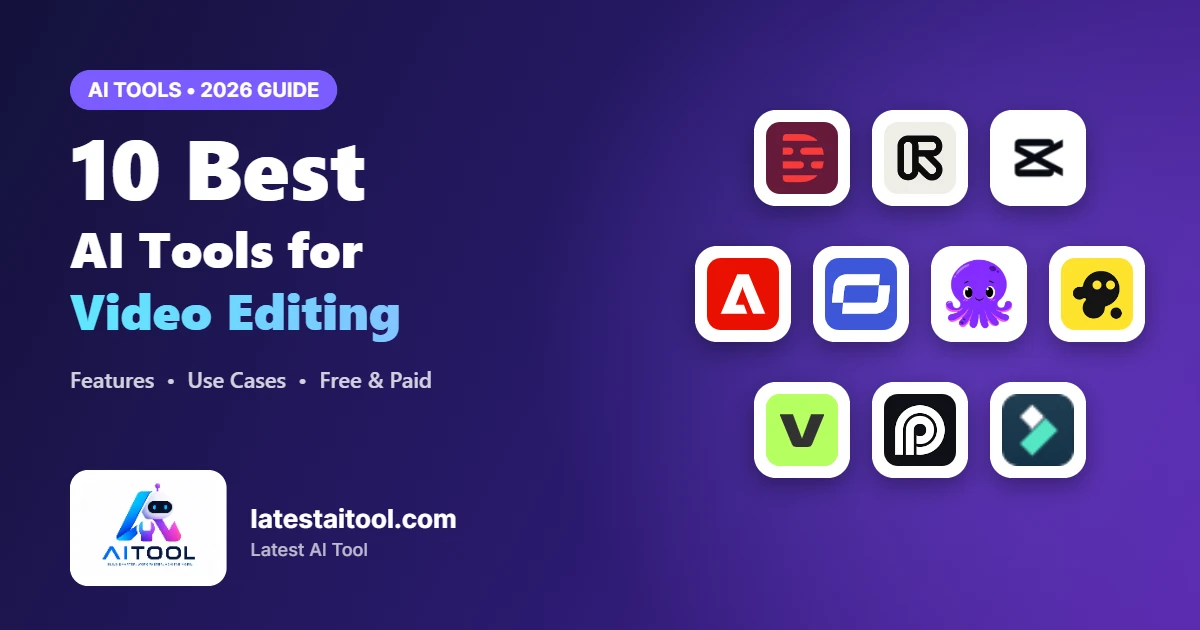
10 Best AI Tools for Video Editing in 2026 (Free & Paid)

Video editing used to take hours of cutting, trimming, and color-correcting. AI has changed that. Today’s AI tools for video editing can write captions, delete filler words, turn long videos into short clips, and even make whole scenes from a text prompt.
At Latest AI Tool, we test and review AI software every week so you can skip the trial-and-error. In this guide, we cover the 10 best AI tools for video editing for YouTubers, marketers, agencies, and beginners, along with what each one does best.
What Makes a Great AI Video Editing Tool?
Before the list, here’s what we looked for:
- Time savings: auto-captions, silence removal, smart cuts
- Output quality: HD/4K export and natural AI voices
- Ease of use: a beginner-friendly interface
- Value: a free plan or a fair price
- Use case fit: short-form, long-form, ads, or training videos
Looking for AI tools in other categories? Browse our full AI tools directory.

Descript: Best for Editing Video Like a Document
Descript lets you edit video by editing its transcript. Delete a sentence in the text and it’s gone from the video.
What makes Descript stand out is how natural it feels for anyone who has ever edited a document. It transcribes your recording automatically, and every cut, rearrangement, or deletion in the text is mirrored on the timeline. Its AI tools can also fix eye contact, remove background noise, and generate show notes and social clips from the same project, so one recording can become a full content package.
Key features:
- Text-based video editing
- One-click filler word removal (“um,” “uh”)
- Studio Sound for clean audio
- AI voice cloning (Overdub)
Pros:
- Very easy to learn, even with no editing experience
- Excellent audio cleanup with Studio Sound
- Turns one recording into clips, captions, and show notes
Cons:
- Less suited to heavy visual effects or color grading
- AI features use monthly media minutes and credits
Pricing: Free plan available. Paid plans start at about $16/month (Hobbyist, billed annually) or $24/month billed monthly.
Best for: podcasters, YouTubers, and course creators

Runway: Best for AI Video Generation and Effects
Runway is a leader in generative video. Its Gen models make video from text or images, and it has strong tools for removing backgrounds and objects.
Runway is built for creators who want to push beyond traditional editing. Its Gen-4 video models can create short cinematic shots from a prompt or a still image, while tools like Inpainting, Green Screen, and Motion Brush let you change or remove elements in existing footage without a VFX team. It is ideal for music videos, ads, concept trailers, and social content that needs a wow factor.
Key features:
- Text-to-video and image-to-video
- AI background and object removal
- Motion tracking and inpainting
- Pro-level creative controls
Pros:
- Industry-leading generative video quality
- Powerful one-click VFX such as background and object removal
- Browser-based, so no high-end computer is needed
Cons:
- Credit system can get expensive for long projects
- Free plan exports carry a watermark
Pricing: Free plan with 125 one-time credits. Standard plan from about $12–$15/month and Pro from about $28–$35/month, depending on billing.
Best for: filmmakers, creative agencies, and visual artists

CapCut: Best Free AI Video Editor
CapCut is one of the most popular free editors for short-form content, with useful AI features built in.
Owned by ByteDance, CapCut is designed for fast, trend-driven editing on phone, desktop, and web. Its AI can auto-generate captions in many languages, remove backgrounds without a green screen, reframe videos for vertical platforms, and even turn a script into a ready-made video. Thousands of trending templates make it easy to keep up with viral formats.
Key features:
- Auto-captions in many languages
- AI background removal
- Trending templates and effects
- Desktop, web, and mobile apps
Pros:
- Generous free plan with many AI tools included
- Huge library of trending templates, effects, and music
- Syncs projects across mobile, desktop, and web
Cons:
- Some premium effects and AI features require Pro
- Less suited to long-form or professional projects
Pricing: Free plan available. CapCut Pro costs around $19.99/month or about $179.99/year in the US (prices vary by region).
Best for: TikTok, Instagram Reels, and YouTube Shorts creators

Adobe Premiere Pro: Best for Professional Editors
Adobe Premiere Pro now includes AI features powered by Adobe Sensei and Firefly, which bring automation into a professional workflow.
Premiere Pro remains the industry standard for film, TV, and YouTube professionals. Its AI tools save hours on repetitive work: Enhance Speech cleans up audio, Auto Reframe adapts videos for social formats, Scene Edit Detection splits footage automatically, and text-based editing lets you cut from a transcript. Generative Extend, powered by Firefly, can even add extra frames to lengthen a clip.
Key features:
- Generative Extend to lengthen clips
- Speech-to-text and auto-captions
- Enhance Speech for clearer audio
- Auto color matching and reframe
Pros:
- Complete professional toolset with AI time-savers
- Works seamlessly with After Effects, Photoshop, and Audition
- Trusted standard in agencies and production houses
Cons:
- Steeper learning curve for beginners
- Subscription-only and needs a powerful computer
Pricing: No free plan, but a free trial is available. Premiere Pro costs about $22.99/month on an annual plan, or it comes with Creative Cloud.
Best for: professional editors and production houses

Synthesia: Best for AI Avatar Videos
Synthesia makes studio-quality videos with realistic AI avatars. No camera or actors needed.
Synthesia lets you create presenter-led videos just by typing a script. You choose from a large library of AI avatars or create your own digital twin, pick a voice in 140+ languages, and Synthesia produces a polished video in minutes. Businesses use it to scale training, product demos, and internal communications without booking studios or presenters.
Key features:
- 100+ AI avatars
- Text-to-speech in 120+ languages
- Ready-made templates
- Custom brand avatars
Pros:
- Realistic avatars and natural AI voices
- Supports 140+ languages for global teams
- Easy to update videos by simply editing the script
Cons:
- Not designed for creative or cinematic editing
- Free plan does not allow MP4 downloads
Pricing: Free plan with limited minutes. Starter plan from about $14–$19/month depending on billing; Creator and Enterprise plans for larger teams.
Best for: corporate training, onboarding, and explainer videos

Pictory: Best for Turning Text into Video
Pictory turns blog posts, scripts, and long videos into short, shareable clips.
Pictory is a favorite among bloggers and marketers who want to repurpose written content. Paste a blog URL or script and its AI picks out key points, matches them with stock footage, and adds captions and voiceover. It can also pull highlight clips from webinars and Zoom recordings, making it a quick way to turn existing content into social videos.
Key features:
- Blog-to-video conversion
- Script-to-video with stock footage
- Automatic highlight extraction
- Auto-captions and branding
Pros:
- Turns articles and scripts into videos in minutes
- Large built-in stock media library
- Automatic captions improve reach and accessibility
Cons:
- Stock footage can feel generic without customization
- No permanent free plan, only a trial
Pricing: Free trial available. Starter plan from about $19/month billed annually ($25 monthly); Pro and Teams plans cost more.
Best for: content marketers and bloggers

InVideo AI: Best for Prompt-Based Video Creation
InVideo AI builds a full video from one text prompt, including script, footage, voiceover, and music.
InVideo AI turns a simple text prompt into a complete video with script, scenes, stock footage, voiceover, music, and subtitles. You can then edit everything with plain-language commands such as “make the intro shorter” or “change the voice to British.” It is a great fit for YouTube channels, faceless content, and marketing teams that need a steady flow of videos.
Key features:
- Prompt-to-video creation
- Large stock media library
- AI voiceovers
- Edit with simple text commands
Pros:
- Creates full videos from a single prompt
- Edit with simple text commands instead of a timeline
- Access to millions of stock clips and AI voices
Cons:
- Free plan exports include a watermark
- Output still needs review to match your brand voice
Pricing: Free plan with limited weekly usage. Paid plans start at about $20/month (Starter) and $28-$60/month for Plus, depending on billing and offers.
Best for: faceless YouTube channels and social media marketers

VEED.io: Best Browser-Based AI Editor
VEED.io is an online editor with AI tools for subtitles, translation, and eye-contact correction.
VEED.io is an all-in-one online editor, so there is nothing to install. It combines accurate auto-subtitles, translation, AI avatars, eye-contact correction, background noise removal, and a screen recorder in one simple interface. Teams like it for creating social clips, tutorials, and branded videos quickly from any computer.
Key features:
- Auto subtitles and translation
- AI eye contact correction
- Background noise removal
- Works fully in your browser
Pros:
- Runs fully in the browser on any device
- Excellent auto-subtitles and translation
- Easy team collaboration and brand kits
Cons:
- Free plan is limited to 720p with a watermark
- Large files can be slower to render online
Pricing: Free plan available. Lite plan from about $12/month billed annually ($19 monthly); Pro from about $24/month billed annually.
Best for: small businesses and remote teams

Opus Clip: Best for Repurposing Long Videos into Shorts
Opus Clip uses AI to find the most engaging moments in long videos and turn them into viral-ready short clips.
Opus Clip uses AI to watch your long videos, find the most engaging moments, and turn them into short vertical clips ready for TikTok, Reels, and YouTube Shorts. Each clip gets a Virality Score, auto-captions with emojis, and smart reframing that keeps the speaker in frame. Podcasters and YouTubers use it to multiply their reach without extra editing time.
Key features:
- AI clip selection with a “virality score”
- Auto-reframe to vertical format
- Animated captions
- Direct scheduling to social platforms
Pros:
- Saves hours of manual clipping
- Virality Score helps you pick the best clips
- Built-in scheduling to social platforms
Cons:
- Works best with talking-head and podcast content
- Free plan clips include a watermark
Pricing: Free plan with 60 processing minutes per month. Starter from about $15/month and Pro from about $29/month (lower with annual billing).
Best for: podcasters and long-form YouTubers

Wondershare Filmora: Best for Beginners
Filmora pairs a simple interface with AI features like smart cutout, AI music, and an AI copilot.
Filmora strikes a good balance between ease of use and creative control. Its AI Copilot answers editing questions and suggests fixes, while features like Smart Cutout, Auto Reframe, Silence Detection, AI music, and text-to-video handle tasks that used to need advanced skills. A drag-and-drop timeline and a large effects library make it perfect for first-time editors.
Key features:
- AI Copilot editing assistant
- Smart cutout and auto reframe
- AI text-to-video and music generator
- Silence detection
Pros:
- Beginner-friendly interface with pro-level features
- Affordable compared with professional editors
- Huge library of effects, transitions, and templates
Cons:
- Free version adds a watermark to exports
- Some AI features need extra AI credits
Pricing: Free version available with watermark. Paid plans start at around $49.99/year, with perpetual license options also available.
Best for: beginners and hobby creators
Quick Comparison Table
| Tool | Best For | Free Plan | Our Verdict |
|---|---|---|---|
| Descript | Text-based editing | Yes | Fastest way to edit talking-head and podcast videos |
| Runway | AI generation & effects | Yes | Top pick for creative AI effects and generation |
| CapCut | Short-form content | Yes | Best value: powerful features at no cost |
| Adobe Premiere Pro | Professional editing | Free trial | Industry standard for pro-level projects |
| Synthesia | AI avatar videos | Limited | Ideal for training videos without a camera |
| Pictory | Text-to-video | Free trial | Easiest way to turn blogs into videos |
| InVideo AI | Prompt-to-video | Yes | Quickest from idea to finished video |
| VEED.io | Browser editing | Yes | Great all-rounder that runs in your browser |
| Opus Clip | Repurposing to shorts | Yes | Must-have for turning long videos into Shorts |
| Filmora | Beginners | Yes (watermark) | Simplest starting point for new editors |
Pricing and plans change often, so check each tool’s website for the latest details.
How to Choose the Right AI Video Editing Tool
- For short-form social content: CapCut or Opus Clip
- For podcasts and talking-head videos: Descript
- For marketing and blog repurposing: Pictory or InVideo AI
- For training videos without filming: Synthesia
- For professional and creative projects: Premiere Pro or Runway
Also making visuals for your videos? See our guide to the best AI image generators. For scripts, check out the best AI writing tools.
Frequently Asked Questions
What is the best free AI tool for video editing?
CapCut is one of the best free options. It includes auto-captions, background removal, and templates at no cost.
Can AI edit videos automatically?
Yes. Tools like Opus Clip, InVideo AI, and Pictory can create or edit videos with very little manual work.
Which AI video editor is best for YouTube?
Descript works well for long-form YouTube videos, and Opus Clip is great for turning them into Shorts.
Is AI video editing good enough for professional work?
Yes. Adobe Premiere Pro and Runway are used by professional editors and studios, and AI speeds up their workflow.
Final Verdict: Which AI Video Editor Should You Choose?
For most creators, CapCut is the best free starting point. Choose Descript for podcasts and talking-head videos, Runway for AI effects and generation, Opus Clip for turning long videos into Shorts, and Adobe Premiere Pro if you edit professionally.
The best AI tools for video editing can save you hours of work and help you make pro-quality content, whatever your skill level. Start with a free plan, test two or three tools, and keep the one that fits your workflow.
Want to find more tools like these? Visit Latest AI Tool, your go-to directory for the newest and best AI tools, updated regularly with honest reviews and comparisons. Bookmark us so you never miss a new AI tool!