Notion AI vs Microsoft Copilot (2026): Which AI Assistant Is Better?

Quick answer: Choose Notion AI if your team plans, writes and organizes work in Notion: docs, wikis, projects and meeting notes in one workspace. Choose Microsoft 365 Copilot if your day runs on Word, Excel, PowerPoint, Outlook and Teams. Notion AI is included in the Notion Business plan (from $20 per user/month). Microsoft 365 Copilot Business costs roughly $18–$21 per user/month on top of a Microsoft 365 license, and Copilot Enterprise costs $30.
Key Takeaways
- Notion AI works inside your Notion workspace. It writes, summarizes, searches and runs AI agents across your pages and databases.
- Microsoft 365 Copilot works inside Office apps. It drafts in Word, analyzes data in Excel, builds slides in PowerPoint and summarizes Teams meetings.
- Price: full Notion AI comes with the Business plan ($20/user/month yearly). Copilot is a paid add-on to Microsoft 365.
- Best for writing and knowledge management: Notion AI. Best for spreadsheets, email and meetings: Copilot.
Notion AI vs Microsoft Copilot at a Glance
| Feature | Notion AI | Microsoft 365 Copilot |
|---|---|---|
| Where it works | Notion pages, databases and wikis | Word, Excel, PowerPoint, Outlook, Teams |
| AI writing and editing | Yes, inline in any page | Yes, in Word and Outlook |
| Meeting notes | AI Meeting Notes in Notion | Teams meeting recaps and transcripts |
| Spreadsheet analysis | Basic (database properties) | Strong (natural-language Excel analysis) |
| Presentations | No native slide builder | Creates PowerPoint decks from a prompt |
| Search across your work | Enterprise Search across Notion and connected apps | Grounded in Microsoft Graph (files, mail, chats) |
| AI agents | Notion Agent and Custom Agents | Copilot agents and Copilot Studio |
| Starting price | Included in Business ($20/user/mo yearly) | ~$18–$21/user/mo (Business) or $30 (Enterprise), plus a Microsoft 365 license |
What Is Notion AI?
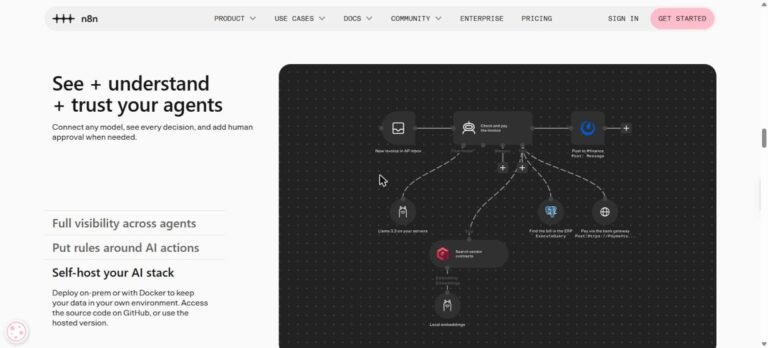
Notion AI is the AI assistant built into Notion. It can draft and edit text, summarize long pages, fill database properties automatically, answer questions using everything in your workspace and record AI Meeting Notes. In 2026, Notion added Custom Agents. These are AI agents that run tasks on a schedule or trigger, such as a daily project brief or triaging requests. Read our full Notion AI review for more detail.
What Is Microsoft 365 Copilot?
Microsoft 365 Copilot is Microsoft’s AI assistant inside the Office apps. It uses your emails, files, chats and calendar through Microsoft Graph, so it can say things like “summarize what I missed in this Teams thread” or “draft a reply using the latest proposal in SharePoint.” Its biggest strengths are Excel analysis, PowerPoint generation and Teams meeting summaries.
Notion AI vs Copilot: Pricing (2026)
| Plan | Price | AI included? |
|---|---|---|
| Notion Free / Plus | $0 / $10 per user/mo (yearly) | Limited AI trial only |
| Notion Business | $20 per user/mo yearly ($24 monthly) | Full Notion AI included |
| Notion Enterprise | Custom | Full Notion AI plus extra security |
| Microsoft 365 Copilot Business | ~$18–$21 per user/mo (annual) | Add-on to a Microsoft 365 business plan |
| Microsoft 365 Copilot Enterprise | $30 per user/mo (annual) | Add-on for enterprise licenses |
Notion Custom Agents are billed separately with credits ($10 per 1,000 credits) on Business and Enterprise. Microsoft regularly runs promotional Copilot pricing. Always confirm current prices on the official Notion and Microsoft pricing pages.
Which Is Better for Writing?
Notion AI is better for everyday writing like blog drafts, SOPs, wikis and content calendars, because your writing, research and tasks all live on the same page. Copilot in Word is better for formal documents such as reports, proposals and contracts that must stay in .docx format and follow company templates.
Which Is Better for Productivity and Teams?
If your team already lives in Outlook and Teams, Copilot saves the most time. It summarizes meetings, catches up on email threads and drafts replies. If your team runs projects in Notion, Notion AI wins because it can see your tasks, docs and databases together and run agents on them.
Pros and Cons
Notion AI
- Pros: all-in-one workspace, included in Business plan, AI agents, strong writing and summarization.
- Cons: full AI needs the Business plan, weaker for spreadsheets and slides, Custom Agents cost extra credits.
Microsoft 365 Copilot
- Pros: deep Office integration, excellent Excel and PowerPoint features, Teams meeting recaps, enterprise security.
- Cons: paid add-on on top of Microsoft 365, works best only inside Microsoft apps, costs add up for large teams.
Verdict: Which Should You Choose?
- Freelancers, creators and startups: Notion AI. One tool for notes, projects and content at a lower total cost.
- Companies standardized on Microsoft 365: Copilot. It plugs into tools your team already uses.
- Data-heavy roles (finance, analysts): Copilot, for Excel.
- Content and knowledge teams: Notion AI.
Want a general AI assistant instead? See ChatGPT vs Claude or browse the best AI tools of 2026.
Frequently Asked Questions
Is Notion AI better than Copilot?
For writing, notes and project workspaces, Notion AI is usually better. For Excel, PowerPoint, Outlook and Teams, Microsoft 365 Copilot is better.
Is Notion AI free?
Notion Free and Plus include only a limited AI trial. Full Notion AI is included in the Business plan ($20 per user/month billed yearly) and Enterprise.
How much does Microsoft 365 Copilot cost?
Copilot Business costs roughly $18–$21 per user/month on an annual plan, and Copilot Enterprise costs $30 per user/month. Both are add-ons to a Microsoft 365 license.
Can I use Notion AI and Copilot together?
Yes. Many teams keep docs and projects in Notion and use Copilot for email, meetings and spreadsheets in Microsoft 365.